
General Cobalt General Cobalt, Pursuit, and Ion talk. Post specific discussions in the forums below

Disable "Auto" Lights?

Thread Tools
 
Search this Thread
 
Old Jul 1, 2008 | 02:30 PM
  #1  
csementuh's Avatar
Thread Starter
Senior Member
iTrader: (18)
 
Joined: 12-20-07
Posts: 3,055
Likes: 0
From: Jeannette, PA
Exclamation Disable "Auto" Lights?
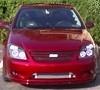
I installed my HIDs a few weeks ago and I'm loving them soo far. I disabled the Daytime Running Lights by pulling the fuse and that is fine. However, the lights will still come on when the car thinks its dark enough when set to the "auto lights" setting. There is no direct "off" setting for the lights. I can turn the "auto" to "auto lights off" but as soon as the ignition is cycled, the car reverts back to "auto lights on"...

Does anyone know how to get full manual control of the Cobalt's lights...??? I really want to keep all of the lights off until needed. Then I would like to be able to turn on the parking lights and then the low beams as necessary...

Thanks!
Reply
Old Jul 1, 2008 | 10:42 PM
  #2  
Apcsox's Avatar
Senior Member
 
Joined: 08-06-07
Posts: 686
Likes: 0
From: Plymouth, Taxachusetts
IIRC, that setting can be disable through the DIC.... if you hold the two buttons down, it should bring up a whole new menu of options
Reply
Old Jul 1, 2008 | 11:01 PM
  #3  
TheCaptain's Avatar
Senior Member
 
Joined: 12-12-05
Posts: 5,456
Likes: 0
From: Moosomin, Saskatchewan
So far, i don't believe there is a way to override the auto computer. Yea, it's slightly annoying.
Reply
Old Jul 1, 2008 | 11:03 PM
  #4  
Frankruffolo257's Avatar
Banned
 
Joined: 10-26-07
Posts: 1,963
Likes: 0
From: StripedHEMI766 Racine, WI
pull out the IR sensor, just unplug it.
Reply
Old Jul 1, 2008 | 11:04 PM
  #5  
TheCaptain's Avatar
Senior Member
 
Joined: 12-12-05
Posts: 5,456
Likes: 0
From: Moosomin, Saskatchewan
Frank, doens't that trick the car into keeping the lights on all the time?
Reply
Old Jul 1, 2008 | 11:05 PM
  #6  
Frankruffolo257's Avatar
Banned
 
Joined: 10-26-07
Posts: 1,963
Likes: 0
From: StripedHEMI766 Racine, WI
only one way to find out!!!!

Im not sure on GM but chryslers lights turn on when the sensor grounds its self, if unpluged, it cant send voltage to ground.
Reply
Old Jul 1, 2008 | 11:06 PM
  #7  
Switt23's Avatar
Senior Member
iTrader: (7)
 
Joined: 06-10-06
Posts: 3,019
Likes: 0
From: Omaha, NE
Run a switch to the power wire on the ballast or the back of the bulb. Would be a lot of extra wiring, but I'm sure you can somehow control it without necessarily disabling the whole feature.
Reply
Old Jul 2, 2008 | 12:52 AM
  #8  
csementuh's Avatar
Thread Starter
Senior Member
iTrader: (18)
 
Joined: 12-20-07
Posts: 3,055
Likes: 0
From: Jeannette, PA
Thanks for the ideas... However none of them are really feasible. And the DIC only controls how the lights turn on when locking / unlocking the doors, not for the Auto features. The Auto lights are controlled by that light sensor on the dash...
Reply
Old Jul 2, 2008 | 10:14 AM
  #9  
Renesis's Avatar
Senior Member
 
Joined: 04-09-06
Posts: 656
Likes: 1
From: Quebec, Canada
hmm put a small LED white light over the sensor on the dash, it'll never fire up your lights but could get annoying when driving though!
Reply
Related Topics
Thread
Thread Starter
Forum
Replies
Last Post
RaginChopsuey
War Stories
16
Oct 27, 2015 01:27 PM
brandon04
Problems/Service/Maintenance
46
Oct 21, 2015 07:04 AM
dennis69
Appearance
9
Oct 20, 2015 04:49 PM
z28addiction
Wanted - What to buy - All categories
0
Sep 28, 2015 12:03 AM
GBRunner24
Featured Car Showcase
3
Sep 26, 2015 06:44 PM


All times are GMT -4. The time now is 12:22 PM.