Pictures & Videos Your pictures, photoshops, and videos.

2015 Official Photography Thread

Old Mar 3, 2015 | 02:34 PM
  #101  
sandman's Avatar
Senior Member
iTrader: (4)
 
Joined: 06-13-13
Posts: 2,956
Likes: 5
From: Mt. Carroll IL


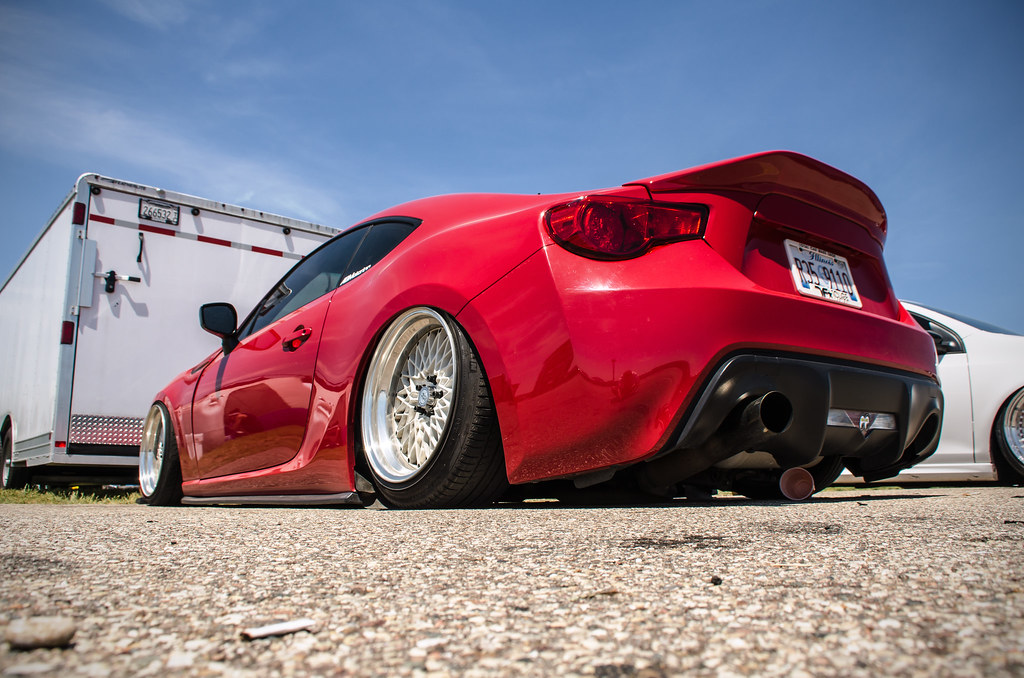
Toying with gopro settings to compare stills taken and your guy's high quality shots

They might have looked better on a clear day. It was hazy out kinda too

Last edited by sandman; Mar 4, 2015 at 09:00 PM. Reason: first edited photo in my life
Reply
Old Mar 3, 2015 | 02:36 PM
  #102  
GBRunner24's Avatar
Junior Member
iTrader: (1)
 
Joined: 01-31-14
Posts: 450
Likes: 10
From: Grand Rapids, MI
Looks great DS! Your photos definitely all have the same almost ominous tone to them. I like bright and colors so I'd brighten up the car/foreground, but that's just my style. However you always do an awesome job of keeping the car nicely composed compared to the background/foreground, which is always tough to do with black cars.

Reply
Old Mar 3, 2015 | 03:45 PM
  #103  
DSmastery's Avatar
Thread Starter
Senior Member
iTrader: (5)
 
Joined: 07-09-09
Posts: 9,811
Likes: 4
From: Riverside,CA
Originally Posted by sandman
Toying with gopro settings to compare stills taken and your guy's high quality shots

They might have looked better on a clear day. It was hazy out kinda too
the gopro's stills are pretty solid they just dont do depth of field like a dslr. with a little editing those could be brighten up

Originally Posted by GBRunner24
Looks great DS! Your photos definitely all have the same almost ominous tone to them. I like bright and colors so I'd brighten up the car/foreground, but that's just my style. However you always do an awesome job of keeping the car nicely composed compared to the background/foreground, which is always tough to do with black cars.
thanks man, yea i try to do a blend of both bright/dark depending on how I took the photos haha

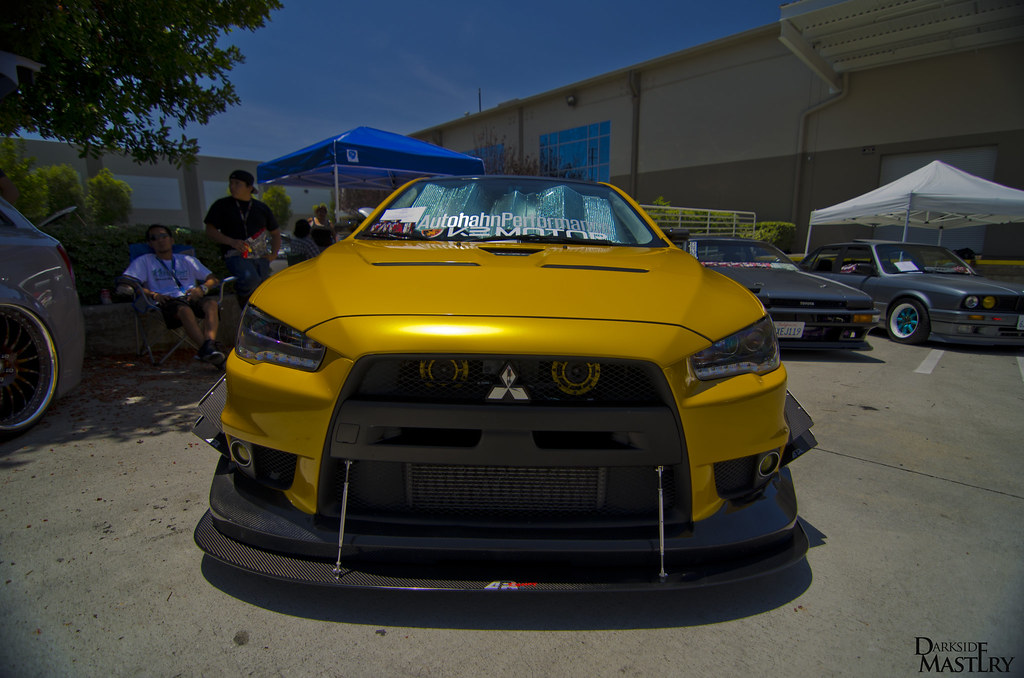
it can be tricky to compose the subject(car) and background just right when in post editing. one thing will change the sky but mess up how the car looks. If I have too much light in a pre photo Ill bring the exposure down and throw some light on its and balance it with black

like this one
Reply
Old Mar 3, 2015 | 03:50 PM
  #104  
WVU_SS's Avatar
Senior Member
iTrader: (1)
 
Joined: 04-14-10
Posts: 1,272
Likes: 9
From: Columbus
That's the part I'm the most hesitant to learn. I've gotten pretty decent at taking the shots and learned a good bit how the camera works. I need to dive into the editing side of things. And that picture.... mmmmmmmm not only does it look good, but I've got a thing for evo's.
Reply
Old Mar 3, 2015 | 04:04 PM
  #105  
sandman's Avatar
Senior Member
iTrader: (4)
 
Joined: 06-13-13
Posts: 2,956
Likes: 5
From: Mt. Carroll IL
Originally Posted by DSmastery
the gopro's stills are pretty solid they just dont do depth of field like a dslr. with a little editing those could be brighten up
You should edit mine if you are bored sometime so I can see what the potential is. hopefully it will be clear out on friday so I can grab some better ones with better lighting.
Reply
Old Mar 3, 2015 | 04:07 PM
  #106  
Snail_SS's Avatar
Moderator
Platinum Member
Moderator
iTrader: (3)
 
Joined: 04-18-14
Posts: 16,421
Likes: 603
From: El Paso, TX
Lol yeah ds makes a great photo editing. And that evo looks really good I like it!!
Reply
Old Mar 3, 2015 | 04:58 PM
  #107  
GBRunner24's Avatar
Junior Member
iTrader: (1)
 
Joined: 01-31-14
Posts: 450
Likes: 10
From: Grand Rapids, MI
Originally Posted by DSmastery
thanks man, yea i try to do a blend of both bright/dark depending on how I took the photos haha

it can be tricky to compose the subject(car) and background just right when in post editing. one thing will change the sky but mess up how the car looks. If I have too much light in a pre photo Ill bring the exposure down and throw some light on its and balance it with black
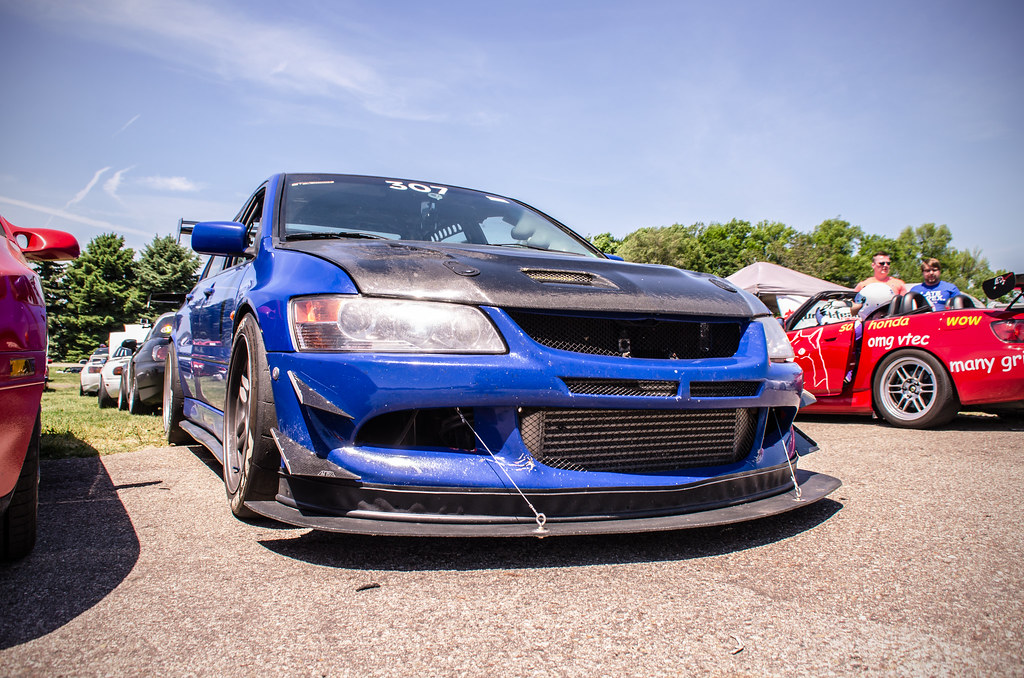
Yeah I normally end up with an blown out sky, but I feel like over the years I've worked towards a good balance. It doesn't hurt when you have perfect weather/sky like it was last year at Gridlife


Reply
Old Mar 3, 2015 | 05:32 PM
  #108  
DSmastery's Avatar
Thread Starter
Senior Member
iTrader: (5)
 
Joined: 07-09-09
Posts: 9,811
Likes: 4
From: Riverside,CA
Originally Posted by WVU_SS
That's the part I'm the most hesitant to learn. I've gotten pretty decent at taking the shots and learned a good bit how the camera works. I need to dive into the editing side of things. And that picture.... mmmmmmmm not only does it look good, but I've got a thing for evo's.
thanks man

if u edit the raw files over jpegs u more range to better a good photo. since the jpegs are compressed images. alot of people just shoot and dont edit well maybe they'll run the images thru a generic editor or something basic.

Originally Posted by sandman
You should edit mine if you are bored sometime so I can see what the potential is. hopefully it will be clear out on friday so I can grab some better ones with better lighting.
if i get some time maybe ill dabble haha

Originally Posted by eddieavila10
Lol yeah ds makes a great photo editing. And that evo looks really good I like it!!
yea that evo is pure sex

when i shoot photos the white balance is off and they are never very sharp or have the right amount of contrast, some do but i just fix them in post hehe i just use Game shark and get all the cheat codes

Originally Posted by GBRunner24
Yeah I normally end up with an blown out sky, but I feel like over the years I've worked towards a good balance. It doesn't hurt when you have perfect weather/sky like it was last year at Gridlife
thats very true when the elements play in your favor. Yea the sky is always blown out looking since the camera cant capture like how we would see it. luckily i can save it in post as long i ddint blow out the image too much haha
Reply
Old Mar 3, 2015 | 05:37 PM
  #109  
GBRunner24's Avatar
Junior Member
iTrader: (1)
 
Joined: 01-31-14
Posts: 450
Likes: 10
From: Grand Rapids, MI
Originally Posted by DSmastery
if u edit the raw files over jpegs u more range to better a good photo. since the jpegs are compressed images. alot of people just shoot and dont edit well maybe they'll run the images thru a generic editor or something basic.
Switching to RAW was the greatest thing I've done since I started shooting. The flexibity you have in post is just insane compared to jpeg. I definitely recommend it to everyone. I don't even have fancy software either, just Photoshop Elements 11 which is very basic in terms of capability.
Reply
Old Mar 3, 2015 | 11:37 PM
  #110  
DSmastery's Avatar
Thread Starter
Senior Member
iTrader: (5)
 
Joined: 07-09-09
Posts: 9,811
Likes: 4
From: Riverside,CA
Originally Posted by GBRunner24
Switching to RAW was the greatest thing I've done since I started shooting. The flexibity you have in post is just insane compared to jpeg. I definitely recommend it to everyone. I don't even have fancy software either, just Photoshop Elements 11 which is very basic in terms of capability.
true story, i use Camera Raw plugin on PS 5 haha its a basic version of lightroom i think.

but it does what i need it to play with raws

Reply
Old Mar 3, 2015 | 11:50 PM
  #111  
Snail_SS's Avatar
Moderator
Platinum Member
Moderator
iTrader: (3)
 
Joined: 04-18-14
Posts: 16,421
Likes: 603
From: El Paso, TX
How much the basic photoshop or those programs you guys are using run for?
Reply
Old Mar 4, 2015 | 12:24 AM
  #112  
DSmastery's Avatar
Thread Starter
Senior Member
iTrader: (5)
 
Joined: 07-09-09
Posts: 9,811
Likes: 4
From: Riverside,CA
Originally Posted by eddieavila10
How much the basic photoshop or those programs you guys are using run for?
my teacher hooked me up back in 09-10 with cs5 haha

i plan to buy Lightroom soon since i make some money now

i think its like $150~
Reply
Old Mar 4, 2015 | 05:40 PM
  #113  
GBRunner24's Avatar
Junior Member
iTrader: (1)
 
Joined: 01-31-14
Posts: 450
Likes: 10
From: Grand Rapids, MI
Originally Posted by eddieavila10
How much the basic photoshop or those programs you guys are using run for?
Photoshop elements which is very basic is like $100 or so. Best deal right now is just to subscribe to the creative cloud and get all the various photoshop programs for $10 a month.
Reply
Old Mar 4, 2015 | 06:10 PM
  #114  
Tsbbzm's Avatar
Jedi Master
iTrader: (1)
 
Joined: 07-15-10
Posts: 7,201
Likes: 1
From: KY
I can never get the sky and car in the same picture. Camera wont focus on both. If i try to get the sky the car suffers and when I try to get the car in focus the sky suffers.
Reply
Old Mar 4, 2015 | 06:13 PM
  #115  
GBRunner24's Avatar
Junior Member
iTrader: (1)
 
Joined: 01-31-14
Posts: 450
Likes: 10
From: Grand Rapids, MI
Originally Posted by Tsbbzm
I can never get the sky and car in the same picture. Camera wont focus on both. If i try to get the sky the car suffers and when I try to get the car in focus the sky suffers.
If you want both to be "in focus" you'll have to shoot at a very narrow aperture like f/22, in which you'll need a lot of light. But if you're just talking about the camera physically focusing on both at the same time it depends on how close you are to your subject and the focus settings on your camera.
Reply
Old Mar 4, 2015 | 06:17 PM
  #116  
Tsbbzm's Avatar
Jedi Master
iTrader: (1)
 
Joined: 07-15-10
Posts: 7,201
Likes: 1
From: KY
Originally Posted by GBRunner24
Thanks man ill have to give that a try. So this image you shot at around f/22?
Reply
Old Mar 4, 2015 | 06:20 PM
  #117  
DSmastery's Avatar
Thread Starter
Senior Member
iTrader: (5)
 
Joined: 07-09-09
Posts: 9,811
Likes: 4
From: Riverside,CA
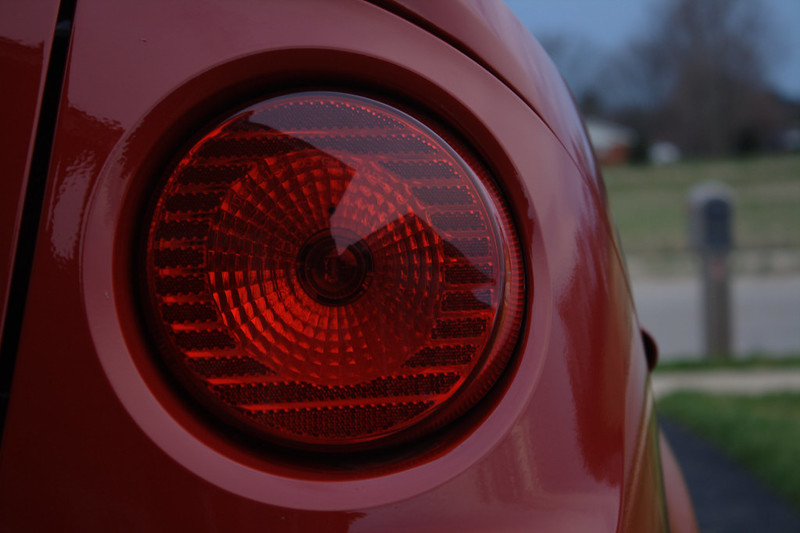
cant have two main focus points. u can in post blend two images or like mentioned narrow the aperture down.

I was watching Sleepy hollow and the camera was pretty much focused on the main guy on the left of the screen(foreground) and then someone walked in in the background with just as sharp focus.

how they do it u ask, haha they masked off some of the video and featured it in post to have both in focus at the same time.

foreground and background focus together as one
Reply
Old Mar 4, 2015 | 06:25 PM
  #118  
Tsbbzm's Avatar
Jedi Master
iTrader: (1)
 
Joined: 07-15-10
Posts: 7,201
Likes: 1
From: KY
I just want to shoot some pictures like the one above. I've tried to set the f stop before and didn't have much luck.
Reply
Old Mar 4, 2015 | 06:48 PM
  #119  
Tsbbzm's Avatar
Jedi Master
iTrader: (1)
 
Joined: 07-15-10
Posts: 7,201
Likes: 1
From: KY
Cobalt ss by MTR01 Photography, on Flickr
Reply
Old Mar 4, 2015 | 08:58 PM
  #120  
sandman's Avatar
Senior Member
iTrader: (4)
 
Joined: 06-13-13
Posts: 2,956
Likes: 5
From: Mt. Carroll IL
I Decided that I'll move these photos that I was gonna post here to my top one to compare some stuffs.
Reply
Old Mar 5, 2015 | 12:44 AM
  #121  
DSmastery's Avatar
Thread Starter
Senior Member
iTrader: (5)
 
Joined: 07-09-09
Posts: 9,811
Likes: 4
From: Riverside,CA
Originally Posted by Tsbbzm
I just want to shoot some pictures like the one above. I've tried to set the f stop before and didn't have much luck.
its a distance thing, the closer you are the more chance for some bookeh. that looks like a well lite day photo and he could have shot it at f/8 with shutter of like 1/250 and it would look like that and post editing to bring the sky if it just looked white on the camera


Originally Posted by sandman
I Decided that I'll move these photos that I was gonna post here to my top one to compare some stuffs.
see those came out pretty nice
Reply
Old Mar 5, 2015 | 09:48 AM
  #122  
sandman's Avatar
Senior Member
iTrader: (4)
 
Joined: 06-13-13
Posts: 2,956
Likes: 5
From: Mt. Carroll IL
This summer hopefully I have some free time so I can toy around with video/photo editing
Reply
Old Mar 5, 2015 | 10:42 AM
  #123  
Tsbbzm's Avatar
Jedi Master
iTrader: (1)
 
Joined: 07-15-10
Posts: 7,201
Likes: 1
From: KY
Originally Posted by DSmastery
its a distance thing, the closer you are the more chance for some bookeh. that looks like a well lite day photo and he could have shot it at f/8 with shutter of like 1/250 and it would look like that and post editing to bring the sky if it just looked white on the camera
I see. Well it will just take some practice then

However I've seen your pictures even on a cloudy day and you manage to get the sky, is that all in the editing aspect?
Reply
Old Mar 5, 2015 | 11:47 AM
  #124  
GBRunner24's Avatar
Junior Member
iTrader: (1)
 
Joined: 01-31-14
Posts: 450
Likes: 10
From: Grand Rapids, MI
Originally Posted by Tsbbzm
Thanks man ill have to give that a try. So this image you shot at around f/22?
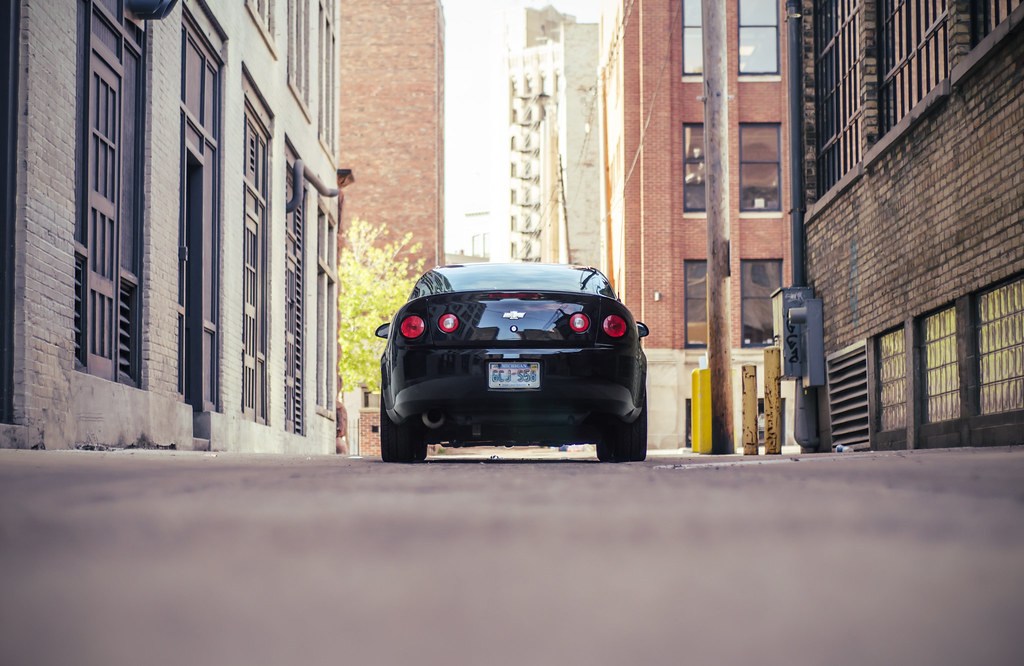
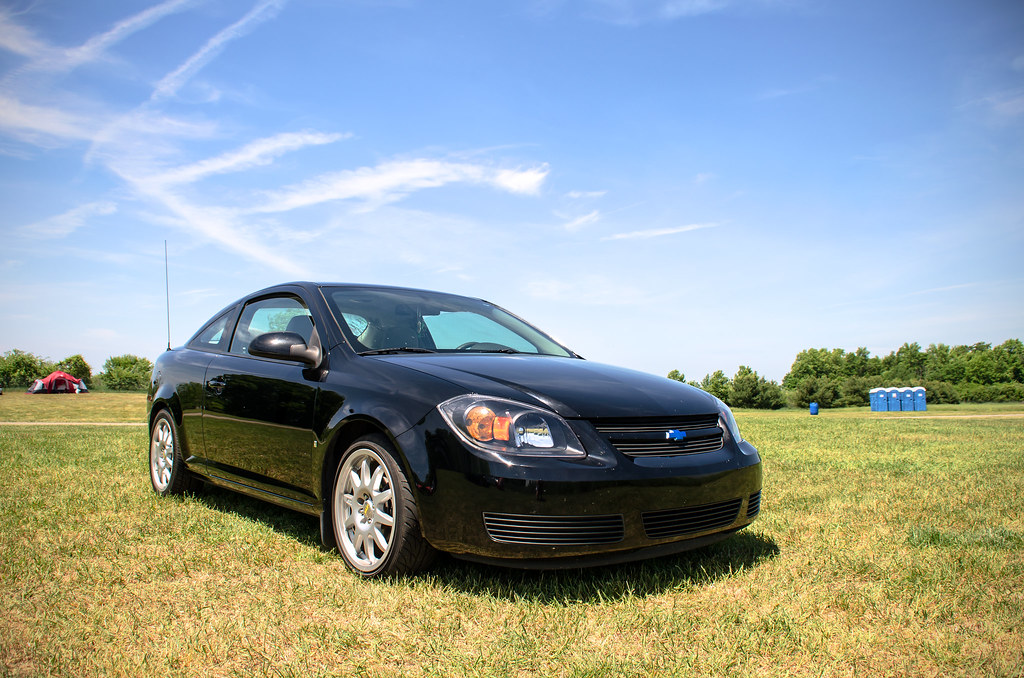
Nope f/8 and 1/250 shutter speed. Realistically your camera is probably going to auto set itself at the widest aperture possible. Not sure what camera you use but if it's probably something like f/3.5 or f/4.5 to start. If you go lower than that, and like DS said based off distance, you end up with bokeh (or the blurred background). I love to shoot really wide at f/1.8 or f/2 to get some great bokeh going, but sometimes its impossible if it's a super sunny day.

This is at f/2.2. Shooting at that wide gives you the nice blurred foreground and background and to me makes the subject pop quite a bit more


Whereas this photo is at f/8. Granted it's not a super narrow aperture; however you do see that the foreground and background are much more focused as with the subject.
Reply
Old Mar 5, 2015 | 11:55 AM
  #125  
Tsbbzm's Avatar
Jedi Master
iTrader: (1)
 
Joined: 07-15-10
Posts: 7,201
Likes: 1
From: KY
Yeah my lens is f3.5 I believe. So to shoot that wide I would need a new lens or would it be possible to get a pretty wide shot with f3.5? I try to shoot in manual but I haven't fully grasped the full understanding of the elements(shutter speed, iso, aperture) and how they respond to one another.

Also are those free handed or do you use a tripod?

Last edited by Tsbbzm; Mar 5, 2015 at 11:55 AM. Reason: Automerged Doublepost
Reply

Thread Tools
Search this Thread

All times are GMT -4. The time now is 07:59 PM.