Anyone Use MSD DASHHAWK??


Thread Starter
Resident Post Whore/Troll
iTrader: (7)
Joined: 07-25-08
Posts: 16,182
Likes: 0
From: Sin City!!!!
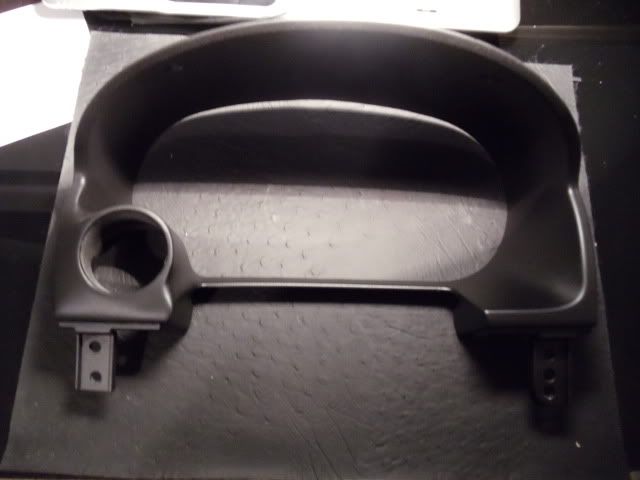
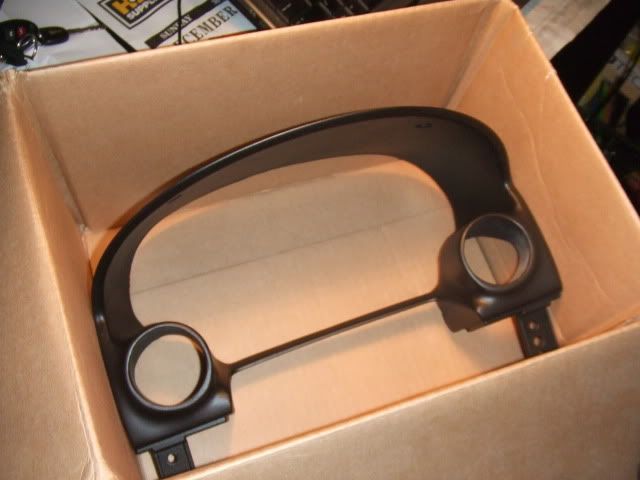
i like the dashhawk, i got it brand new from a dude on CL in vegas for $200 i have mine mounted right on my steering wheel column ill take a pic tonight and post it up for u all to see

Senior Member
iTrader: (7)
Joined: 04-06-10
Posts: 3,702
Likes: 0
From: 6000ft on a Mountain in Colorado!
Yah I wanna see where you have it mounted too. I can't find one so I think I'm stuck with Aeroforce gauges. Not bad, but dashhawk seems cheaper and does the same.

Senior Member
iTrader: (7)
Joined: 04-06-10
Posts: 3,702
Likes: 0
From: 6000ft on a Mountain in Colorado!

I wound the cord up and put it in the change tray that is down and to the left of the steering wheel. I push the drawer up and it wedges the dashHawk in there. Works great and can be seen with a quick glance down. I would love for another mount if it could be done cheaply, but there won't be many people doing that.
I wound the cord up and put it in the change tray that is down and to the left of the steering wheel. I push the drawer up and it wedges the dashHawk in there. Works great and can be seen with a quick glance down. I would love for another mount if it could be done cheaply, but there won't be many people doing that.
Windows 7 Install. I found this on the MSF.org site
1) Download the latest version of Dashhawk.
2) Right-click the DashHawk setup file > Properties > Compatibility tab > check "Runs this program in compatibility mode for:" and select Windows XP (SP3)
3) Click Apply, then Ok
4) Right click DashHawk setup file > Run as Administrator > next, next through the install
5) You'll get some prompts about Windows not being able to identify the driver click "Install anyways" (2 prompts) > finish setup
6) Don't reboot > load DashHawk program > plug in the USB cable into the DashHawk and it'll recognize the drivers
7) Load datalogs and give thanks to AndyMS3
1) Download the latest version of Dashhawk.
2) Right-click the DashHawk setup file > Properties > Compatibility tab > check "Runs this program in compatibility mode for:" and select Windows XP (SP3)
3) Click Apply, then Ok
4) Right click DashHawk setup file > Run as Administrator > next, next through the install
5) You'll get some prompts about Windows not being able to identify the driver click "Install anyways" (2 prompts) > finish setup
6) Don't reboot > load DashHawk program > plug in the USB cable into the DashHawk and it'll recognize the drivers
7) Load datalogs and give thanks to AndyMS3


robk
ive never seen an interceptor, but kind of yes. Except the DH can show 1-6 things on the screen at once, data log, pull cel's, clear them, valet mode which idk works on our cars, mmm change led colors... I data logged with it on my ms3 to see how bad KR was at woot and the HPFP fuel psi. You an also have it show warnings which it can flash a diff led color.
robk
Thread Starter
Resident Post Whore/Troll
iTrader: (7)
Joined: 07-25-08
Posts: 16,182
Likes: 0
From: Sin City!!!!
ok so i finally got a computer with windows on it to upload the new software and now the computer wont recognize the dashhawk when i plug it in....fml....northvibe im going to PM u lol