2013 Official Photography Thread


Senior Member
Joined: 08-19-09
Posts: 7,665
Likes: 7
From: Windsor NS
I'm going to try a cracked version of lightroom 4. wish me luck. not sure how to patch it but hopefully the readme has a walkthrough. i got some raw shots this morning. going to try my luck with editing.

Senior Member
Joined: 05-14-09
Posts: 7,171
Likes: 0
From: Bronx
You might not be able to update it - it depends. If you want a version you can reliably update have to spend the moolah.


Senior Member
Joined: 03-03-10
Posts: 1,213
Likes: 0
From: West Allis, WI
Re-edit of an old one...
http://www.flickr.com/photos/dandaman15/8335810054/
Before and after
http://www.flickr.com/photos/dandaman15/8335813494/
Quick shots I did of my car today to test out new filter. More on my flickr, just click the pics if interested
http://www.flickr.com/photos/dandaman15/8330724749/http://www.flickr.com/photos/dandaman15/8347516442/
http://www.flickr.com/photos/dandaman15/8335810054/
Before and after
http://www.flickr.com/photos/dandaman15/8335813494/
Quick shots I did of my car today to test out new filter. More on my flickr, just click the pics if interested
http://www.flickr.com/photos/dandaman15/8330724749/http://www.flickr.com/photos/dandaman15/8347516442/
Senior Member
Joined: 08-19-09
Posts: 7,665
Likes: 7
From: Windsor NS
got lightroom working. not worried about updates.
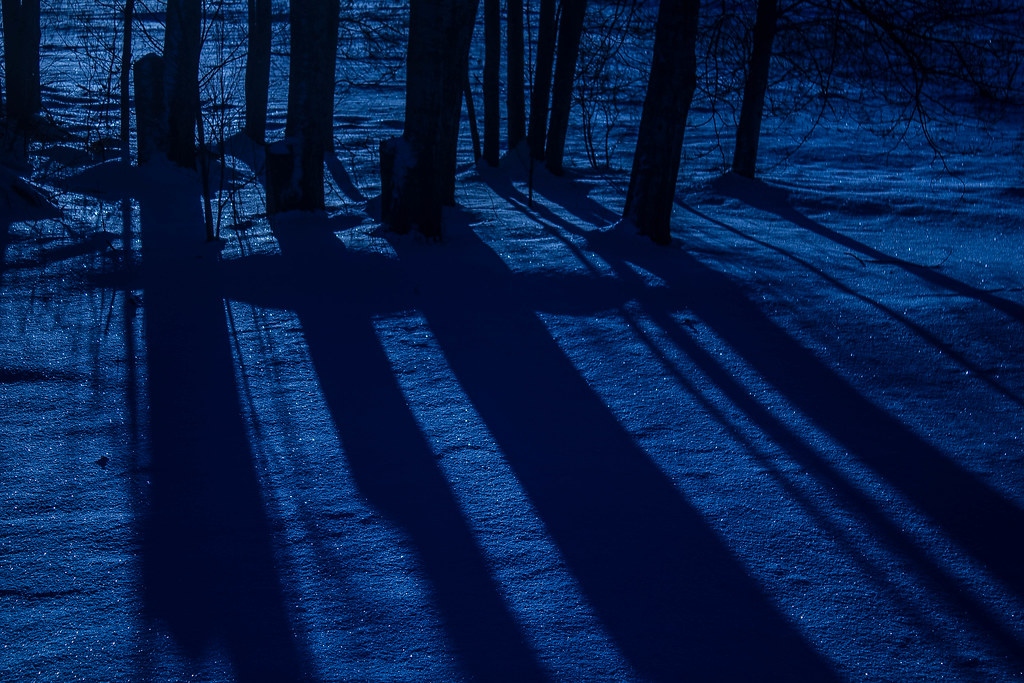
it looks ok but was shot through a dirty window by hand so not as clear as i'd like it to be.
also when im exporting a RAW edited image on lightroom it bumps the size down to 2.5MB. is it safe to assume i'm losing image quality and is there a way to save it at the higher res as a JPG?
it looks ok but was shot through a dirty window by hand so not as clear as i'd like it to be.
also when im exporting a RAW edited image on lightroom it bumps the size down to 2.5MB. is it safe to assume i'm losing image quality and is there a way to save it at the higher res as a JPG?
Last edited by Cobalt_Daddy; Jan 4, 2013 at 05:24 PM.
Senior Member
Joined: 03-03-10
Posts: 1,213
Likes: 0
From: West Allis, WI

Also when it exports a raw it converts it to a JPEG or any other format of your liking, atleast that what it does in CS5 that I have. JPEG and BMP and PNG are all smaller since they have their own "content stripping" algorithm. Visually you cant tell any difference and Id rather have a smaller file on my HD. Your not losing image quality per se, just image information that the RAW file stores.


Senior Member
Joined: 08-19-09
Posts: 7,665
Likes: 7
From: Windsor NS
On flicker click on the image, and hit the "share" button right above the picture and click "grab HTML/BBCode"
Also when it exports a raw it converts it to a JPEG or any other format of your liking, atleast that what it does in CS5 that I have. JPEG and BMP and PNG are all smaller since they have their own "content stripping" algorithm. Visually you cant tell any difference and Id rather have a smaller file on my HD. Your not losing image quality per se, just image information that the RAW file stores.
Also when it exports a raw it converts it to a JPEG or any other format of your liking, atleast that what it does in CS5 that I have. JPEG and BMP and PNG are all smaller since they have their own "content stripping" algorithm. Visually you cant tell any difference and Id rather have a smaller file on my HD. Your not losing image quality per se, just image information that the RAW file stores.
 .. kind of disappointed that lightroom can't do certain effects that PS can but end the end it's all about adjusting photos to make them look better so it works awesome.

Senior Member
Joined: 03-03-10
Posts: 1,213
Likes: 0
From: West Allis, WI

dont agree there at all. Most photographers use both. I prefer lightroom and the only benefit is not just batch processing lol
Senior Member
Joined: 05-14-09
Posts: 7,171
Likes: 0
From: Bronx
Hell plenty of us use more LOL
Software I use:
Photoshop CS6
Lightroom 4
HDREfex Pro
Snapseed
SilverEfex Pro [when I get it]
ColorEfex Pro [when I get it]
Viveza [when I get it]
Various filters [when I figure out how to use them]
Also this is a great tool -> The Photographer's Ephemeris
Software I use:
Photoshop CS6
Lightroom 4
HDREfex Pro
Snapseed
SilverEfex Pro [when I get it]
ColorEfex Pro [when I get it]
Viveza [when I get it]
Various filters [when I figure out how to use them]
Also this is a great tool -> The Photographer's Ephemeris
Hell plenty of us use more LOL
Software I use:
Photoshop CS6
Lightroom 4
HDREfex Pro
Snapseed
SilverEfex Pro [when I get it]
ColorEfex Pro [when I get it]
Viveza [when I get it]
Various filters [when I figure out how to use them]
Also this is a great tool -> The Photographer's Ephemeris
Software I use:
Photoshop CS6
Lightroom 4
HDREfex Pro
Snapseed
SilverEfex Pro [when I get it]
ColorEfex Pro [when I get it]
Viveza [when I get it]
Various filters [when I figure out how to use them]
Also this is a great tool -> The Photographer's Ephemeris
My wedding package was 4k and my photographer used lightroom to edit our photos.
Senior Member
Joined: 05-14-09
Posts: 7,171
Likes: 0
From: Bronx
Senior Member
Joined: 05-14-09
Posts: 7,171
Likes: 0
From: Bronx
Lightroom + Nik Software on the other hand unleashes some amazing potential. Really the only use I have now for Photoshop is the Photomerge feature which is just superior to anything else out there.

Thread Starter
Senior Member
iTrader: (1)
Joined: 07-05-10
Posts: 1,261
Likes: 0
From: Charleston, SC
I like Nik Software but its kind of pricey. I have some Topaz Labs plug ins though. Still trying to decide if I want to upgrade from CS5 to CS6. I already have Lightroom 4.

Senior Member
Joined: 08-19-09
Posts: 7,665
Likes: 7
From: Windsor NS
Most people edit on their desktop and anything less than 25' is kind of small now.
So guess its time for some to get a nice screen now. Hell I don't even edit on my laptop but do have it on both if I need to. And even my 17inch laptop does just fine. lol
So guess its time for some to get a nice screen now. Hell I don't even edit on my laptop but do have it on both if I need to. And even my 17inch laptop does just fine. lol