


Official 2009 Photography Thread


Senior Member
Joined: 09-14-05
Posts: 6,697
Likes: 0
From: Phx, AZ


Senior Member
Joined: 05-14-09
Posts: 7,171
Likes: 0
From: Bronx

Senior Member
Joined: 10-30-06
Posts: 11,850
Likes: 0
From: Federal Way, Washington
I think you forgot to mention something.






Senior Member
Joined: 09-14-05
Posts: 6,697
Likes: 0
From: Phx, AZ
edit: to add, the image is a focus of the car at speed on the road I would crop it up a bit to where the sky isn't taking up so much space. The rule of 3rd's would still apply to this image in a 16:9 format which I would recommend for it.
Last edited by OniMirage; Dec 2, 2009 at 04:16 PM. Reason: Automerged Doublepost

Senior Member
Joined: 02-18-09
Posts: 4,574
Likes: 0
From: Somewhere.
use program auto at least and keep practicing. I like all the vertical lines and the loneliness of the yellow in the image. Using program mode would have given you the option to save that part of the swing that is overexposed but otherwise everything else is fine and neutral.
selective coloring is nice but for some reason seems out of place on this image, otherwise it's great.
selective coloring is nice but for some reason seems out of place on this image, otherwise it's great.

Banned
Joined: 05-20-08
Posts: 8,580
Likes: 0
From: Usa
I need some constructive criticism.
My first day with a good camera that I bought today. I could only practice in MF mode inside since it was raining out side.
I edited them with Iphoto.


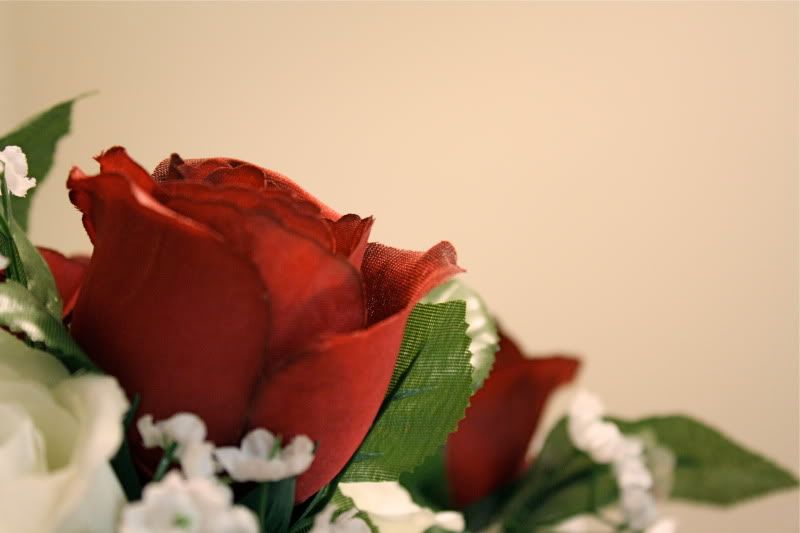

Any help would be appreciated to help me out with my new hobby
My first day with a good camera that I bought today. I could only practice in MF mode inside since it was raining out side.
I edited them with Iphoto.
Any help would be appreciated to help me out with my new hobby
Senior Member
Joined: 09-14-05
Posts: 6,697
Likes: 0
From: Phx, AZ
I need some constructive criticism.
My first day with a good camera that I bought today. I could only practice in MF mode inside since it was raining out side.
I edited them with Iphoto.
[IMG]http://i81.photobucket.com/albums/j234/wardzach2007/IMG_0138.jpg[IMG]
[IMG]http://i81.photobucket.com/albums/j234/wardzach2007/IMG_0098.jpg[IMG]
[IMG]http://i81.photobucket.com/albums/j234/wardzach2007/IMG_0102.jpg[IMG]
[IMG]http://i81.photobucket.com/albums/j234/wardzach2007/IMG_0003.jpg[IMG]
[IMG]http://i81.photobucket.com/albums/j234/wardzach2007/IMG_0026.jpg[IMG]
Any help would be appreciated to help me out with my new hobby
My first day with a good camera that I bought today. I could only practice in MF mode inside since it was raining out side.
I edited them with Iphoto.
[IMG]http://i81.photobucket.com/albums/j234/wardzach2007/IMG_0138.jpg[IMG]
[IMG]http://i81.photobucket.com/albums/j234/wardzach2007/IMG_0098.jpg[IMG]
[IMG]http://i81.photobucket.com/albums/j234/wardzach2007/IMG_0102.jpg[IMG]
[IMG]http://i81.photobucket.com/albums/j234/wardzach2007/IMG_0003.jpg[IMG]
[IMG]http://i81.photobucket.com/albums/j234/wardzach2007/IMG_0026.jpg[IMG]
Any help would be appreciated to help me out with my new hobby
Banned
Joined: 05-20-08
Posts: 8,580
Likes: 0
From: Usa
Aside for the last 2 images it seems white balance was an issue which you may want to learn more about correcting. For macro you want to use a much smaller aperture or larger f-stop number. This would allow much more detail to be in focus while at the same time could potentially bring out more detail in the image. To add to that you must remember that the closer you focus the shorter range your aperture will have for any given number whereas in landscapes the further you focus the larger range your aperture will have.
What about this pic? I wanted to go "cooler".

Senior Member
Joined: 09-14-05
Posts: 6,697
Likes: 0
From: Phx, AZ
That image is nice but one less light source would be better or have the light more focused (closer or pointed at the controller) so it casts a better shadow. Judging from the image it looks like the tv is providing one light and you have another incandescent light somewhere in the room so you could have made it cooler by just turning off the other light.
Banned
Joined: 05-20-08
Posts: 8,580
Likes: 0
From: Usa
Well I am shooting in RAW, so at least that helps. For inside I had the ISO set at 800 with a lower Aperture. Lower the Aperture the more light it will take in right?
I do see that second light source. I finally realize that now. I guess to get better, I have to take more time on this pic's to make sure nothing is interfering with them. Cool, thanks!
I do see that second light source.
I finally realize that now. I guess to get better, I have to take more time on this pic's to make sure nothing is interfering with them. Cool, thanks!

Senior Member
Joined: 04-15-07
Posts: 3,654
Likes: 0
From: Butler, PA
The higher the ISO the more likely you are to have noise in the picture. In dim lighting you probably want to shoot wide open and set it to the lowest ISO you possibly can and still get the picture. Tripods help A LOT! I generally don't go above an ISO of 400 unless I absolutely have to...
Banned
Joined: 05-20-08
Posts: 8,580
Likes: 0
From: Usa
The higher the ISO the more likely you are to have noise in the picture. In dim lighting you probably want to shoot wide open and set it to the lowest ISO you possibly can and still get the picture. Tripods help A LOT! I generally don't go above an ISO of 400 unless I absolutely have to...
To shoot wide open you set the aperture lower, right?
Senior Member
Joined: 09-14-05
Posts: 6,697
Likes: 0
From: Phx, AZ
What is meant by wide open is to use the largest aperture on the lens which happens to be the smaller numbers. To add I agree that the need for using a lower ISO would be better for dark and moody 'still' or 'static' images where nothing is moving to avoid noise. Using high ISO is only needed when you need faster shutter speeds to capture motion otherwise your going to reduce the quality of the image each stop increase. Noise reduction can only do so much.
Banned
Joined: 05-20-08
Posts: 8,580
Likes: 0
From: Usa
What is meant by wide open is to use the largest aperture on the lens which happens to be the smaller numbers. To add I agree that the need for using a lower ISO would be better for dark and moody 'still' or 'static' images where nothing is moving to avoid noise. Using high ISO is only needed when you need faster shutter speeds to capture motion otherwise your going to reduce the quality of the image each stop increase. Noise reduction can only do so much.
Yeah, that's what I meant when I said lower aperture (Lower number).
So to brighten the still picture all I need to do is either use flash or use a wider aperture (smaller number).
To capture quick motions, like cars moving or people moving, I make the ISO higher.
Am I getting this?
Senior Member
Joined: 09-14-05
Posts: 6,697
Likes: 0
From: Phx, AZ
Okay sweet. I think I'm getting this.
Yeah, that's what I meant when I said lower aperture (Lower number).
So to brighten the still picture all I need to do is either use flash or use a wider aperture (smaller number).
To capture quick motions, like cars moving or people moving, I make the ISO higher.
Am I getting this?
Yeah, that's what I meant when I said lower aperture (Lower number).
So to brighten the still picture all I need to do is either use flash or use a wider aperture (smaller number).
To capture quick motions, like cars moving or people moving, I make the ISO higher.
Am I getting this?
If your doing static images then you want to use A mode and adjust the depth of field by adjusting the aperture which will adjust shutter and ISO provided your not limited the ISO to a set number. But be mindful of your shutter speed in case it gets low so you don't blur the image yourself.
If your doing action images then you use S mode and adjust the shutter speed depending on the speed of the action and how frozen you want the image to look. ISO and Aperture will adjust accordingly to allow the proper amount of light for the shutter speed but be careful not to go too high if there isn't enough light.
P mode should be used for general situations where you just want to take an image and fine for almost every general social situation.
M mode should be used in controlled situations or when your absolutely sure about what you need or want and you know how to get there with the camera settings and lighting available.
I haven't posted anything or even uploaded anything in a while but I have been taking pictures...


Last edited by OniMirage; Dec 8, 2009 at 07:19 PM. Reason: Automerged Doublepost

Senior Member
Joined: 09-14-05
Posts: 6,697
Likes: 0
From: Phx, AZ
[QUOTE=wardzach2007;4512630]^Those are really nice. Hopefully I'll get there some day.
Did I do okay on this one?
[IMG]http://i81.photobucket.com/albums/j234/wardzach2007/IMG_0340.jpg[MG][QUOTE]
Speaking of photography specifically the image is nice but be mindful of background distractions unless intentional and if it is intentional get more on the frame .ie. the corner of the building.
Did I do okay on this one?
[IMG]http://i81.photobucket.com/albums/j234/wardzach2007/IMG_0340.jpg[MG][QUOTE]
Speaking of photography specifically the image is nice but be mindful of background distractions unless intentional and if it is intentional get more on the frame .ie. the corner of the building.
Senior Member
Joined: 04-15-07
Posts: 3,654
Likes: 0
From: Butler, PA
Okay sweet. I think I'm getting this.
Yeah, that's what I meant when I said lower aperture (Lower number).
So to brighten the still picture all I need to do is either use flash or use a wider aperture (smaller number).
To capture quick motions, like cars moving or people moving, I make the ISO higher.
Am I getting this?
Yeah, that's what I meant when I said lower aperture (Lower number).
So to brighten the still picture all I need to do is either use flash or use a wider aperture (smaller number).
To capture quick motions, like cars moving or people moving, I make the ISO higher.
Am I getting this?
BTW does your camera have a light meter built into it? I know my D60 has one on the LCD screen on the back and when you look through the view finder. This should help you when making your decisions about shutter speed, f-stop, and ISO settings...
BTW here's one of the latest pictures I took of my dog.

Last edited by Tazmanian_Dvl; Dec 8, 2009 at 10:37 PM. Reason: Automerged Doublepost