


Official 2009 Photography Thread





Senior Member
Joined: 06-06-07
Posts: 9,714
Likes: 0
From: somewhere
nice shots titanium... interesting to say the least...
crusin- both shots are a tad underexposed and thats why you are seeing the noise.. try exposing more to the right even past the standard exposure mark.. you should be fine then.
crusin- both shots are a tad underexposed and thats why you are seeing the noise.. try exposing more to the right even past the standard exposure mark.. you should be fine then.

Senior Member

Joined: 01-30-06
Posts: 3,846
Likes: 2
From: Onoway
when I brought them up they were comig out over exposed to say the lease, the silver was turning to white. or would that of been fixable in some post production?


Senior Member
Joined: 06-06-07
Posts: 9,714
Likes: 0
From: somewhere
fake.. your shot lacks contrast whatsoever.. why dont you take a un processed shot and put it up and ill see what i can do.. just take one of your shots and make it a jpeg if it isnt already..
BTW STOP MAKING HDRS!!!!!! that will help alot...
BTW STOP MAKING HDRS!!!!!! that will help alot...

Senior Member
Joined: 06-06-07
Posts: 9,714
Likes: 0
From: somewhere
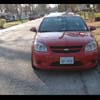
Heres what I got even though that must have been a massive crop on your part.. the sky was blown to bits earlier so i did my best with that...

Last edited by sick06cobalt; Jan 26, 2009 at 08:03 PM. Reason: Automerged Doublepost

Senior Member
Joined: 11-15-04
Posts: 939
Likes: 0
From: Blue Springs, MO
Here's what I could do with it:

My version has a bit more shadow/highlight since there was a lack of light showing detail in the car.
My version has a bit more shadow/highlight since there was a lack of light showing detail in the car.
Last edited by titaniumss; Jan 26, 2009 at 09:58 PM. Reason: Automerged Doublepost

Senior Member
Joined: 05-04-07
Posts: 1,668
Likes: 0
From: MN
Senior Member
Joined: 06-06-07
Posts: 9,714
Likes: 0
From: somewhere
yeah i just ran a few adjustment layers.. literally a quick edit... the problem was blowing out the sky...
Heres another 5 minute edit using the same thing titanium did...

Heres another 5 minute edit using the same thing titanium did...
Last edited by sick06cobalt; Jan 26, 2009 at 10:13 PM. Reason: Automerged Doublepost
Senior Member
Joined: 11-15-04
Posts: 939
Likes: 0
From: Blue Springs, MO
All I did was adjust levels, bump saturation, shadow/highlight, move contrast a tiny bit up, and add maybe 2 steps of sharpness. Overall, there should be more saturation in your camera's settings. I'd select a manual setting and bump saturation in camera.
Senior Member
Joined: 11-15-04
Posts: 939
Likes: 0
From: Blue Springs, MO
All I did was adjust levels, bump saturation, shadow/highlight, move contrast a tiny bit up, and add maybe 2 steps of sharpness. Overall, there should be more saturation in your camera's settings. I'd select a manual setting and bump saturation in camera.
Senior Member
Joined: 05-04-07
Posts: 1,668
Likes: 0
From: MN

Senior Member
Joined: 10-02-07
Posts: 7,637
Likes: 0
From: Right here, Ohio
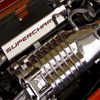
Im new at this so be nice 

By car_guy_09, shot with Samsung BL1050 at 2009-01-26

By car_guy_09, shot with Samsung BL1050 at 2009-01-26

By car_guy_09, shot with Samsung BL1050 at 2009-01-26
These arnt the best but,
I have some really good pics of the slobalt just have to upload them...

By car_guy_09, shot with Samsung BL1050 at 2009-01-26

By car_guy_09, shot with Samsung BL1050 at 2009-01-26

By car_guy_09, shot with Samsung BL1050 at 2009-01-26

By car_guy_09, shot with Samsung BL1050 at 2009-01-26

By car_guy_09, shot with Samsung BL1050 at 2009-01-26

By car_guy_09, shot with Samsung BL1050 at 2009-01-26

By car_guy_09, shot with Samsung BL1050 at 2009-01-26

By car_guy_09, shot with Samsung BL1050 at 2009-01-26

By car_guy_09, shot with Samsung BL1050 at 2009-01-26
By car_guy_09, shot with Samsung BL1050 at 2009-01-26
By car_guy_09, shot with Samsung BL1050 at 2009-01-26
By car_guy_09, shot with Samsung BL1050 at 2009-01-26
These arnt the best but,
I have some really good pics of the slobalt just have to upload them...
By car_guy_09, shot with Samsung BL1050 at 2009-01-26
By car_guy_09, shot with Samsung BL1050 at 2009-01-26
By car_guy_09, shot with Samsung BL1050 at 2009-01-26
By car_guy_09, shot with Samsung BL1050 at 2009-01-26
By car_guy_09, shot with Samsung BL1050 at 2009-01-26
By car_guy_09, shot with Samsung BL1050 at 2009-01-26
By car_guy_09, shot with Samsung BL1050 at 2009-01-26
By car_guy_09, shot with Samsung BL1050 at 2009-01-26
By car_guy_09, shot with Samsung BL1050 at 2009-01-26